

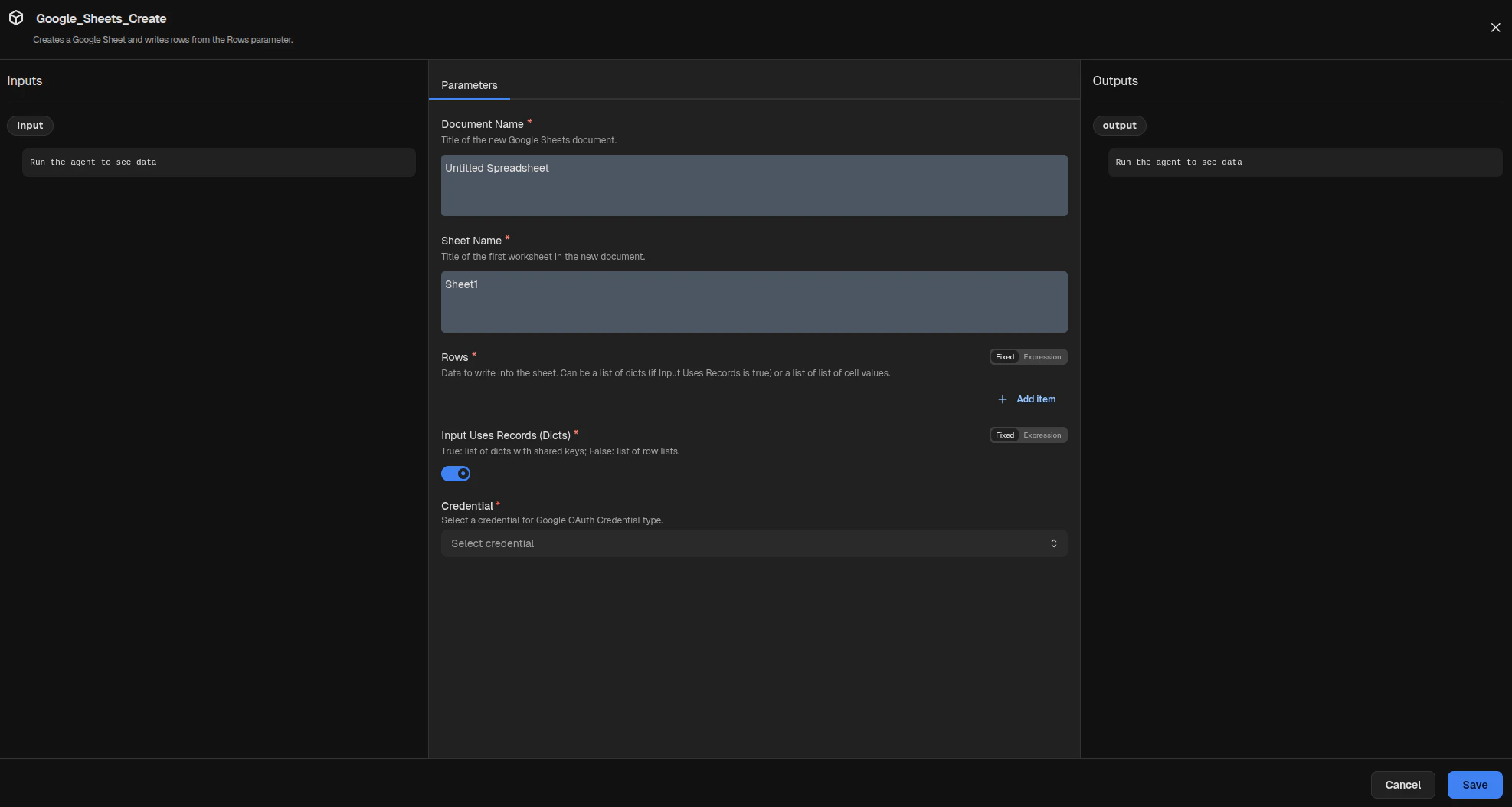
Parameters
Choose whether this node creates a new spreadsheet or appends rows to an existing one.
Set to
create to make a new spreadsheet, or append to write into an existing sheet.Title for the new Google Sheets document. This is ignored when
Action is set to append.Sheet tab name to create or append to.
Existing Google Sheets document ID to use when
Action is set to append.
This is the long string following /d/ in the spreadsheet URL.Rows written to the target sheet. Provide either a list of objects (record mode) or a list of row arrays.
Controls how
Rows are interpreted.
Set to true for a list of objects with matching keys.
In create mode, a header row is added automatically.
In append mode, only the record values are appended so existing headers are not duplicated.
Set to false for a list of row arrays.Credentials
Select a Google OAuth Credential with the Google Sheets scopes needed by this node.
Inputs
Inputs are ignored; the
input port is only for graph connectivity.Outputs
A JSON object describing the target spreadsheet and write result.
| Field | Description |
|---|---|
spreadsheet_id | Google Sheets spreadsheet ID for the created or appended spreadsheet. |
spreadsheet_url | URL of the target spreadsheet. |
sheet_name | Worksheet name used for the write. |
row_count_written | Number of rows written. In record mode, this includes the header row only when Action is create. |
updated_range | Range reported by the write operation. |