The Node Block (on the Canvas)
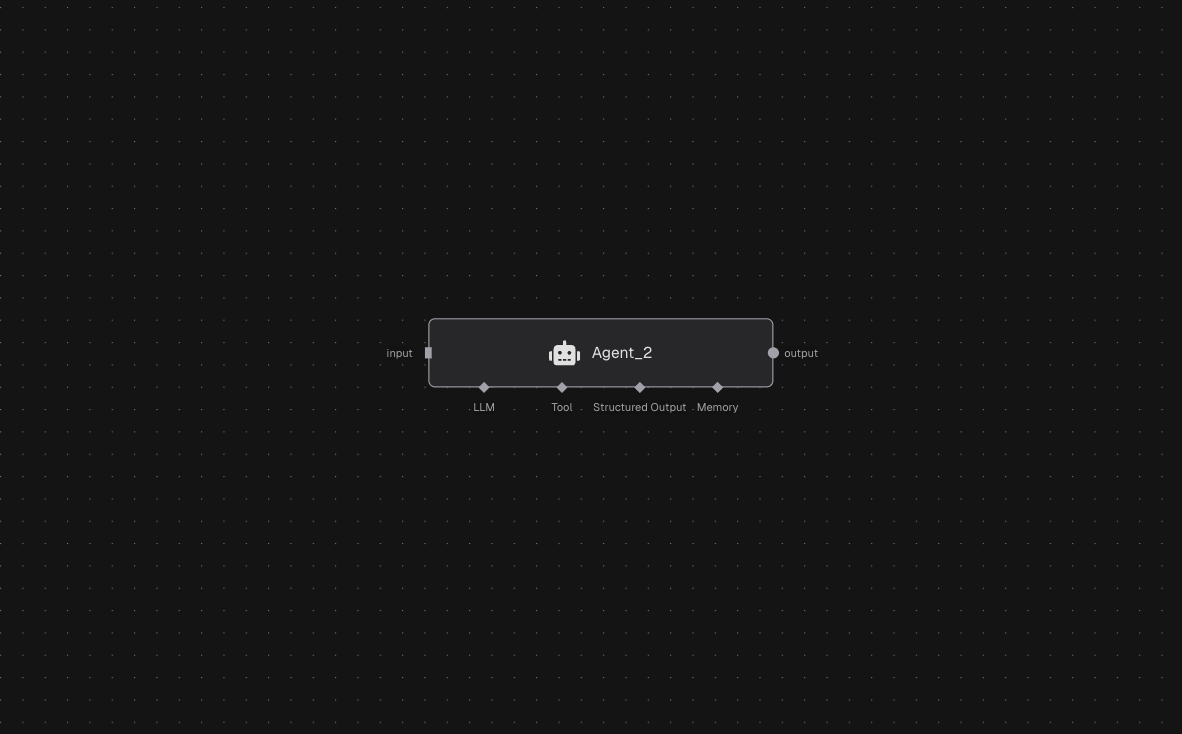
Each node appears as a block on the canvas with:- ID: The label shown on the node (e.g.,
Agent_2). - Inputs (left side): The data this node consumes.
- Outputs (right side): The data this node produces.
- Config Ports (bottom): Optional connectors for configurations used by the node (varies by node type).
Inputs
Inputs are how data enters a node.- Inputs are named ports (e.g.,
input) shown on the left side of the node. - Each input receives a list of items from upstream nodes.
- Some nodes (like triggers) can run without inputs; others require them to execute.
Outputs
Outputs are the node’s results.- Outputs are named ports shown on the right side of the node.
- Each output emits a list of items that can feed multiple downstream nodes.
- Every node must produce every output it declares (so your graph wiring stays consistent).
Parameters (Node Settings)
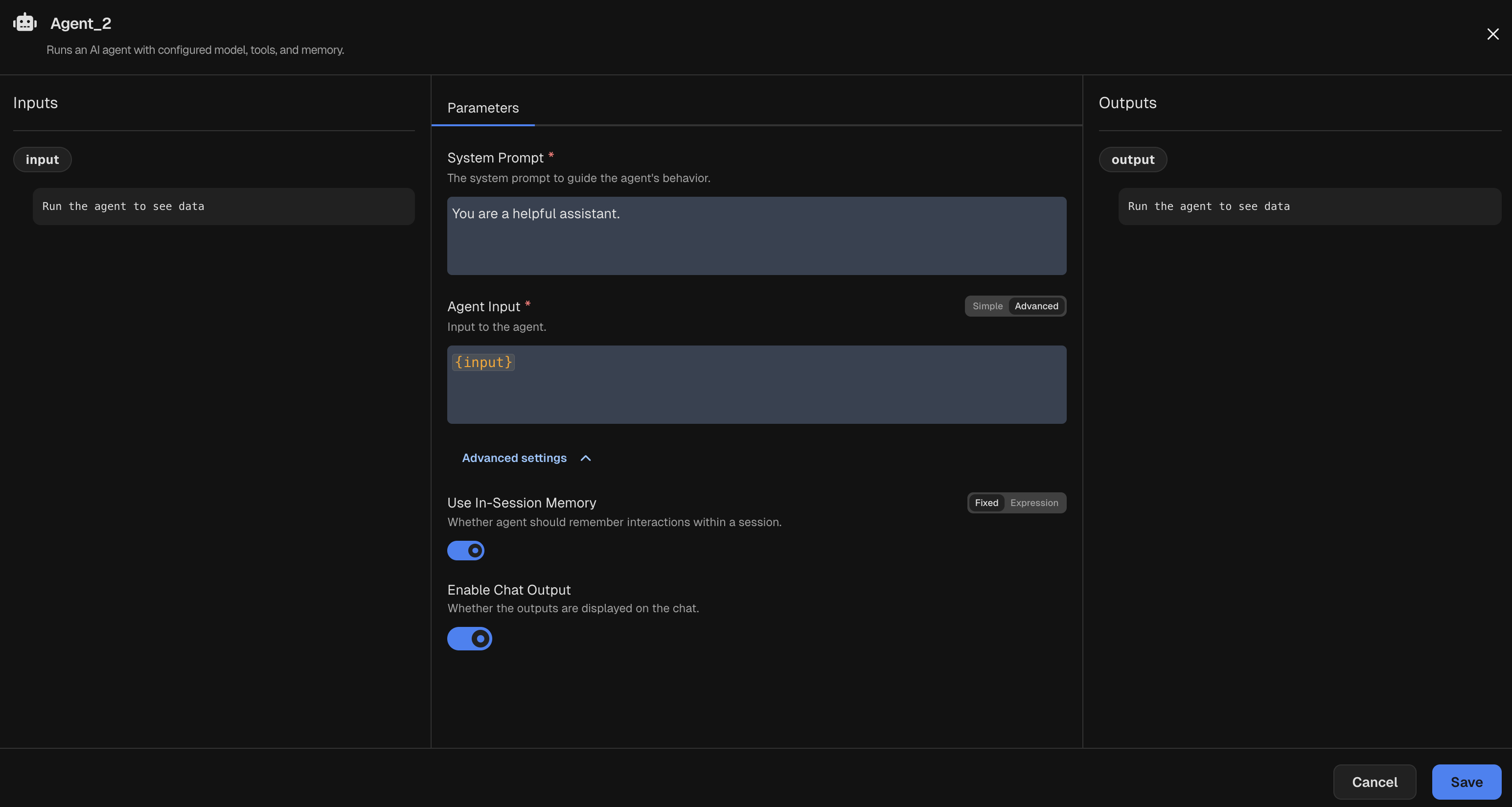
Parameters control a node’s behavior and are configured in the node details panel.- Parameters are typed and validated values.
- Required parameters must be filled; optional ones use defaults when provided.
- Parameters can be plain values or expressions that reference upstream inputs/outputs. Expressions allow
dynamic behavior based on runtime data. For example, you can set a parameter to
${input}to use the node’s input data or${@NodeA.output}to reference the output of an upstream node. Read more about using Expressions in parameters.
Config Nodes (Optional)
Config nodes provide static configuration that other nodes can consume.- A node can declare config ports that accept config nodes.
- Config nodes run before the main node so their outputs are available at run time.
- Use config nodes for reusable settings (models, tools, credentials, shared options).
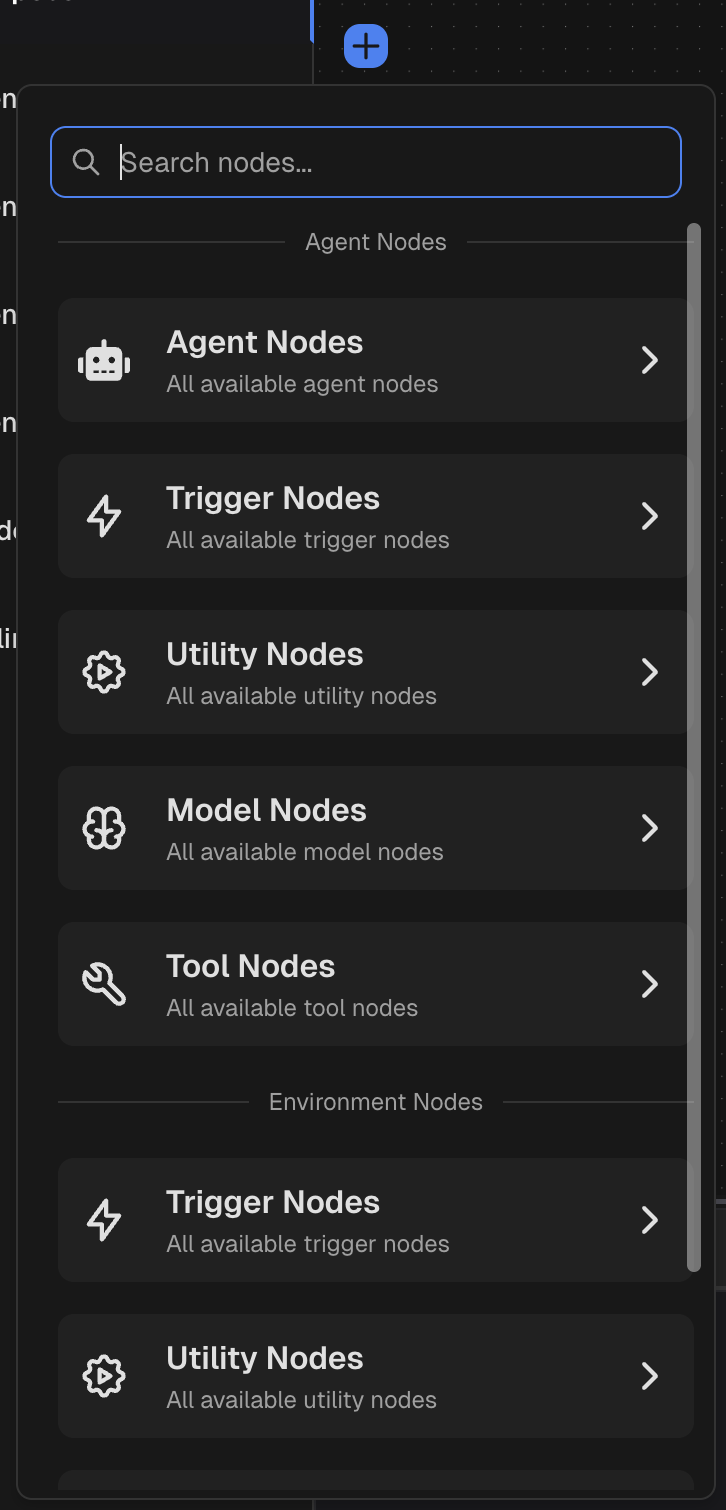
Node List (Node Picker)
The node picker is how you add nodes to the canvas.- Search to find nodes quickly.
- Categories group nodes by purpose:
- Agent – agents with prompts, tools, memory.
- Trigger – starting points for the graph.
- Utility – helpers, routing, parsing, transforms.
- Model – model configs.
- Tool – external tool connectors.