

Optimize button at the top of the Agent Composer canvas. It should open the following modal:
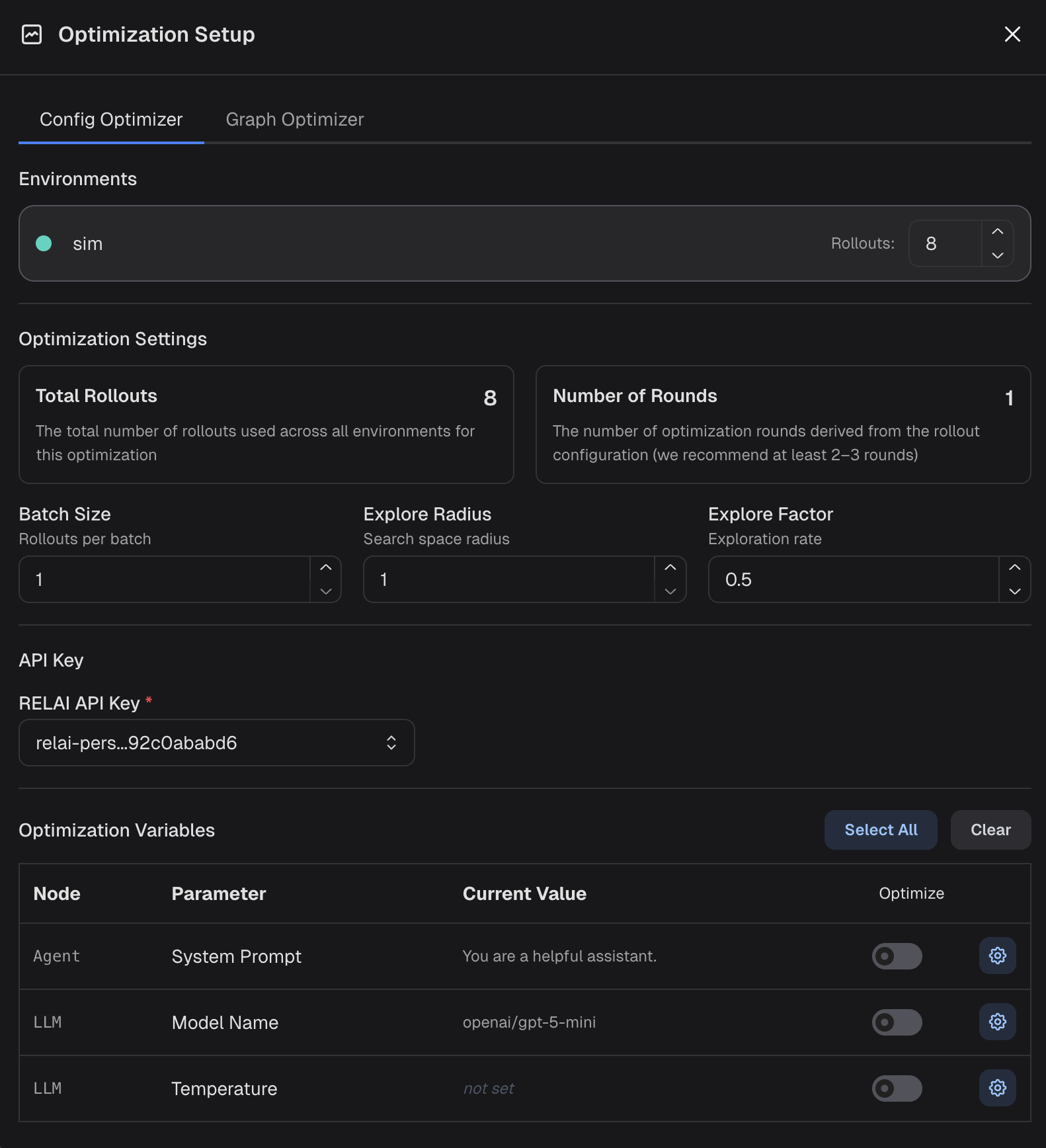
Base batch size to use for individual optimization steps
A positive integer controlling the aggressiveness of exploration during optimization.
A larger explore radius encourages the optimizer to make more substantial changes between successive configurations.
A float between 0 to 1 controlling the exploration-exploitation trade-off.
A higher explore factor allocates more rollouts to discover new configs,
while a lower value allocates more rollouts to ensure the discovered configs are thoroughly evaluated.
Optimize switch next to it.
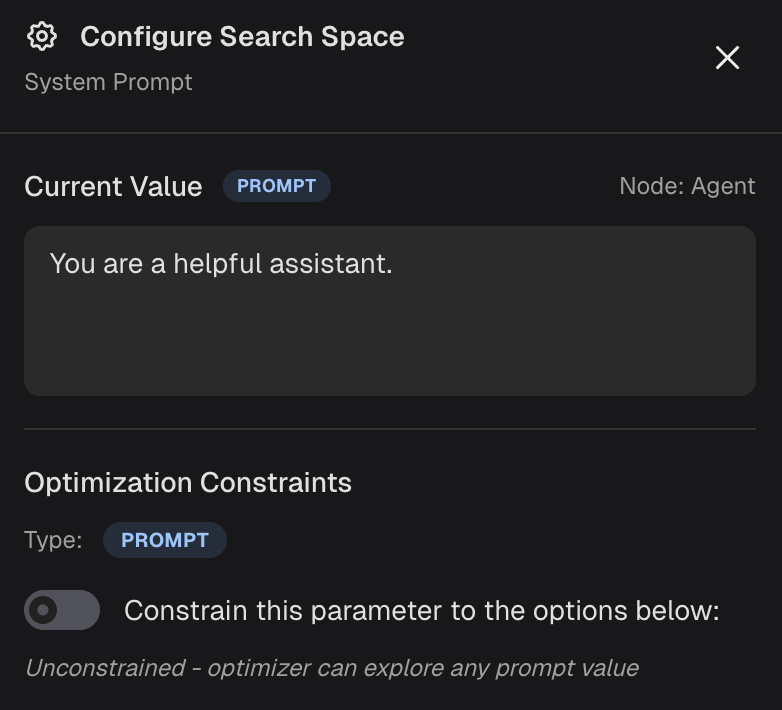
You can also configure the search space for each parameter by clicking the gear icon next to it. This will open a modal like the following:
Run Optimization to begin the process. You can monitor the status
of the optimization on the Agent Jobs page. When the optimization is complete,
you can view the results on the Maestro Runs page.